


Twice a year, Shopify ships what it calls an “Edition” — a single coordinated release that bundles everything the platform has been building for the last six months into one announcement. Spring 2026 just landed, and the number attached to it is genuinely large: 150+ updates, spanning everything from how AI chatbots can now buy your products directly, to how your point-of-sale system rings up a return.
Most of that won’t matter to you. A lot of it is genuinely built for enterprise teams, developers, or businesses running multi-entity operations across five countries. But buried in the noise is a smaller set of changes that are worth understanding now, because they’re going to quietly reshape how customers find and buy from stores like yours over the next year.

AI Is Now a Real Shopping Channel, Not a Future Concept
This is the headline story, and it’s worth taking seriously even if “AI shopping” has started to sound like background noise by now.
Shopify built something called Shopify Catalog, which automatically structures your product data so AI assistants — ChatGPT, Microsoft Copilot, Perplexity — can actually understand and recommend what you sell. Shopify’s own claim is that properly structured product data drives meaningfully higher conversion specifically in AI chat conversations, compared to data that isn’t optimized this way.
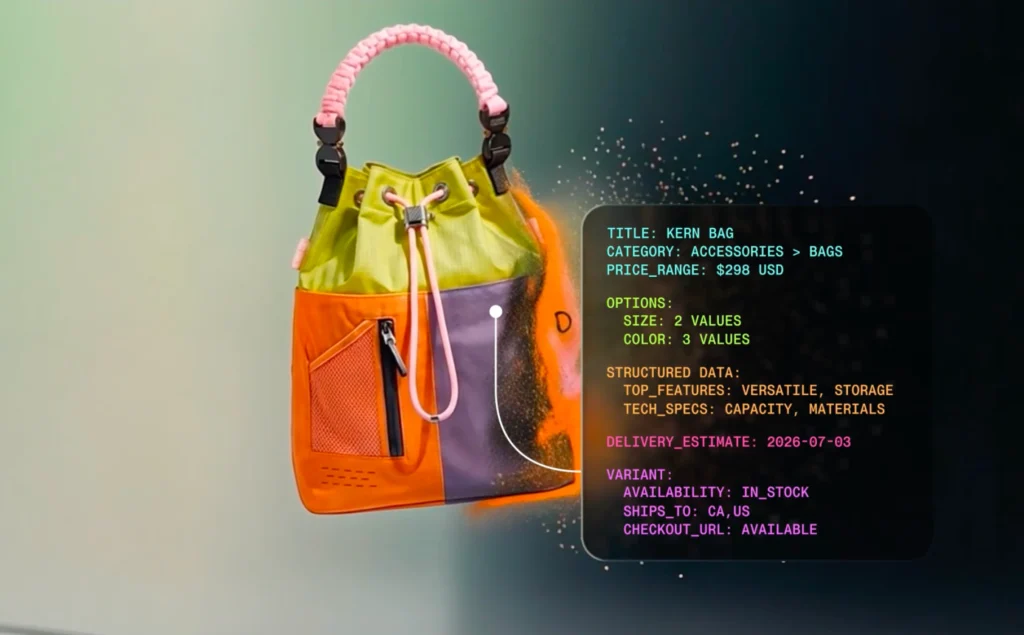
Even more concretely: checkout-in-chat is now live. A customer can be mid-conversation with an AI assistant, decide they want something, and complete the purchase without ever leaving that conversation — powered by something Shopify calls the Universal Commerce Protocol, with Shop Pay handling the actual transaction.
A few years ago, “optimize for AI” was a slide in a conference talk. Now it’s a checkbox in your Shopify admin.
What this actually means for your store: if your product data is thin — vague titles, missing attributes, inconsistent descriptions — you’re now invisible in a channel that’s only going to grow. This isn’t a far-off consideration. It’s closer to the same discipline as basic SEO: structured, accurate, complete product information is what makes you findable, just in one more place than before.
Sidekick Got Genuinely Useful
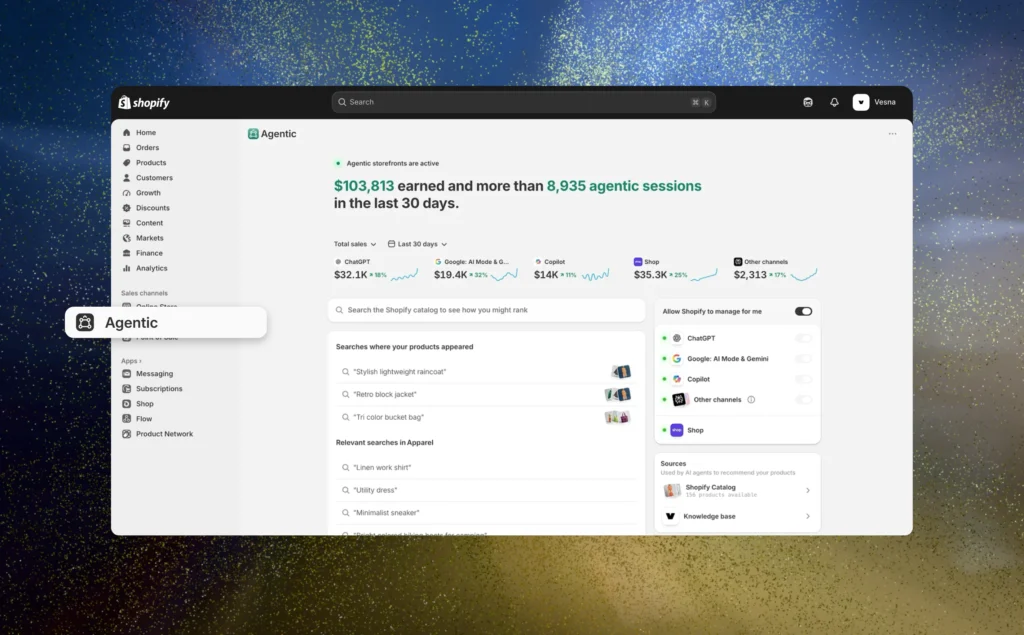
Sidekick is Shopify’s built-in AI assistant inside your store’s admin, and this update is the first time it’s started feeling less like a chatbot bolted onto the dashboard and more like an actual operator.
The headline change: Sidekick now integrates directly with apps merchants already rely on — Klaviyo by name, alongside Judge.me, Loop, and Smile. That means Sidekick can answer questions about, and take action inside, tools that are likely already part of your stack. It also now runs on Apple Watch, follows you across the mobile app, and keeps working in the background while you do something else — multi-tasking that wasn’t possible before.
For brands running email marketing through Klaviyo or Omnisend specifically, this is worth a closer look: an AI assistant that understands what’s happening in your email platform, inside the same admin where you manage products and orders, starts to close a gap that used to require manually checking two separate dashboards.
Marketing Just Got a WhatsApp Channel, Built In
This one’s easy to undersell, but it’s a genuinely practical addition: WhatsApp is now a native Shopify marketing channel, sitting alongside SMS automations inside the same messaging tool. For markets where WhatsApp is the default way customers actually communicate with businesses — which describes a meaningful chunk of the Mediterranean, the Gulf, and a lot of the markets growing brands are expanding into — this closes a gap that used to require a separate, often clunky, third-party integration.
There’s also a smarter delivery layer underneath this: Shopify Messaging now prioritizes which messages actually get sent versus held back, optimizing for conversion rather than just blasting everyone on a list at the same time.
The channel customers already use to talk to their friends is now the same one your store can use to talk to them.
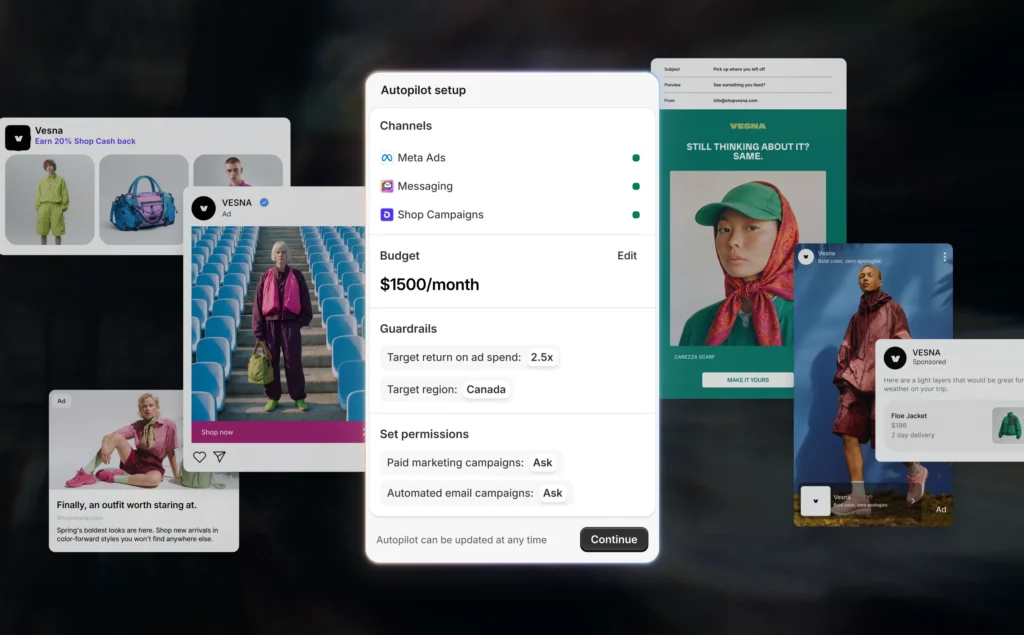
Pairing this with the new Campaign Autopilot feature — AI-managed ad campaigns across channels like Pinterest and ChatGPT, with guardrails the merchant sets — and marketing inside Shopify is starting to look less like a bolt-on and more like a real operating layer, not just a checkout system with some plugins attached.
Checkout Got Faster, and That’s Not a Small Thing
A full checkout redesign shipped with this release — tighter layout, an elevated pay button, less scrolling required on mobile specifically. Address autocomplete also got noticeably more accurate across five countries.
This sounds cosmetic until you remember that checkout is the single highest-leverage page on your entire site. A small improvement in how easily someone can complete a purchase on their phone compounds across every single order that comes through afterward. Shop Pay also expanded — it’s now available to any business on any platform, not just stores built on Shopify itself, which signals Shopify is positioning Shop Pay as infrastructure that exists beyond their own ecosystem.
For Brands With a Physical Location Too
If you’re running both an online store and a retail counter — a showroom, a café, a beauty counter — Shopify’s point-of-sale system (POS) got a real upgrade this release, with faster checkout flows, returns and exchanges handled in a single cart, and offline mode improvements for when connectivity drops. None of this is flashy, but for brands managing inventory and customers across both an online store and a physical space, having both systems actually talk to each other properly is the difference between a clean operation and a constant reconciliation headache.
What to Actually Do With This
Not everything here needs action today. A reasonable way to prioritize:
- Worth doing now: Review your product data for AI-shopping readiness — complete titles, attributes, and descriptions, since this is functionally an extension of good SEO practice you likely already understand.
- Worth testing soon: If you’re on Klaviyo or Omnisend, explore what Sidekick can now see and do inside that integration before assuming it’s not relevant to you.
- Worth watching, not rushing: Campaign Autopilot and AI checkout-in-chat are both genuinely new — useful to understand, early to bet your whole strategy on.
- Worth implementing if your audience is WhatsApp-heavy: the native WhatsApp channel is low-effort, high-relevance for a lot of growing brands’ actual customer base.
Where This Fits Into a Bigger Picture
Releases like this are a useful reminder that Shopify isn’t standing still, and a store that was “fully built” eighteen months ago is quietly falling a little further behind the platform every cycle it goes untouched. None of that means an overhaul is due — it means a periodic, honest look at whether your store is using what’s actually available to it.
If you’re not sure where your store stands against any of this — or just want a second set of eyes before deciding what’s worth your time — our Shopify Development service covers exactly this kind of audit and implementation work. Or book a call if you’d rather just talk through what’s actually relevant to your store specifically.
FAQ
What is Shopify Editions Spring 2026?
It’s Shopify’s biannual release that bundles all of the platform’s updates from the previous six months into a single coordinated announcement — this one shipped with 150+ updates across AI shopping, marketing, checkout, and retail.
Do I need to do anything to get the Spring 2026 features?
Most updates roll out automatically to existing Shopify stores. Some features, like Shopify Catalog or specific app integrations, may need to be set up or enabled manually depending on your plan
What’s the single biggest change in this update?
The shift toward AI-native shopping — Shopify Catalog structuring product data for AI assistants, and checkout-in-chat allowing purchases to complete without leaving an AI conversation.
Is Shopify Spring 2026 available on all plans?
Coverage varies by feature — some updates are available across all plans, while others (like certain Shopify Plus retail and multi-entity features) are restricted to higher tiers.
How often does Shopify release major updates like this?
Twice a year, in a Spring and Winter Edition, though smaller updates and feature rollouts happen continuously between the two major releases.